In my previous post, I shared how I built an autoscheduler so I could keep track of my schedule without translating my plans back and forth between my texts and calendar. In this post, I'll dig more into what "reading texts" and "extracting events" actually entails – highlighting emerging ML capabilities, examples of practical ML engineering problems and ways to solve them, and enough details that anyone interested should be able to start building their own autoscheduler.
Let's start with the overview.
Autoscheduler design
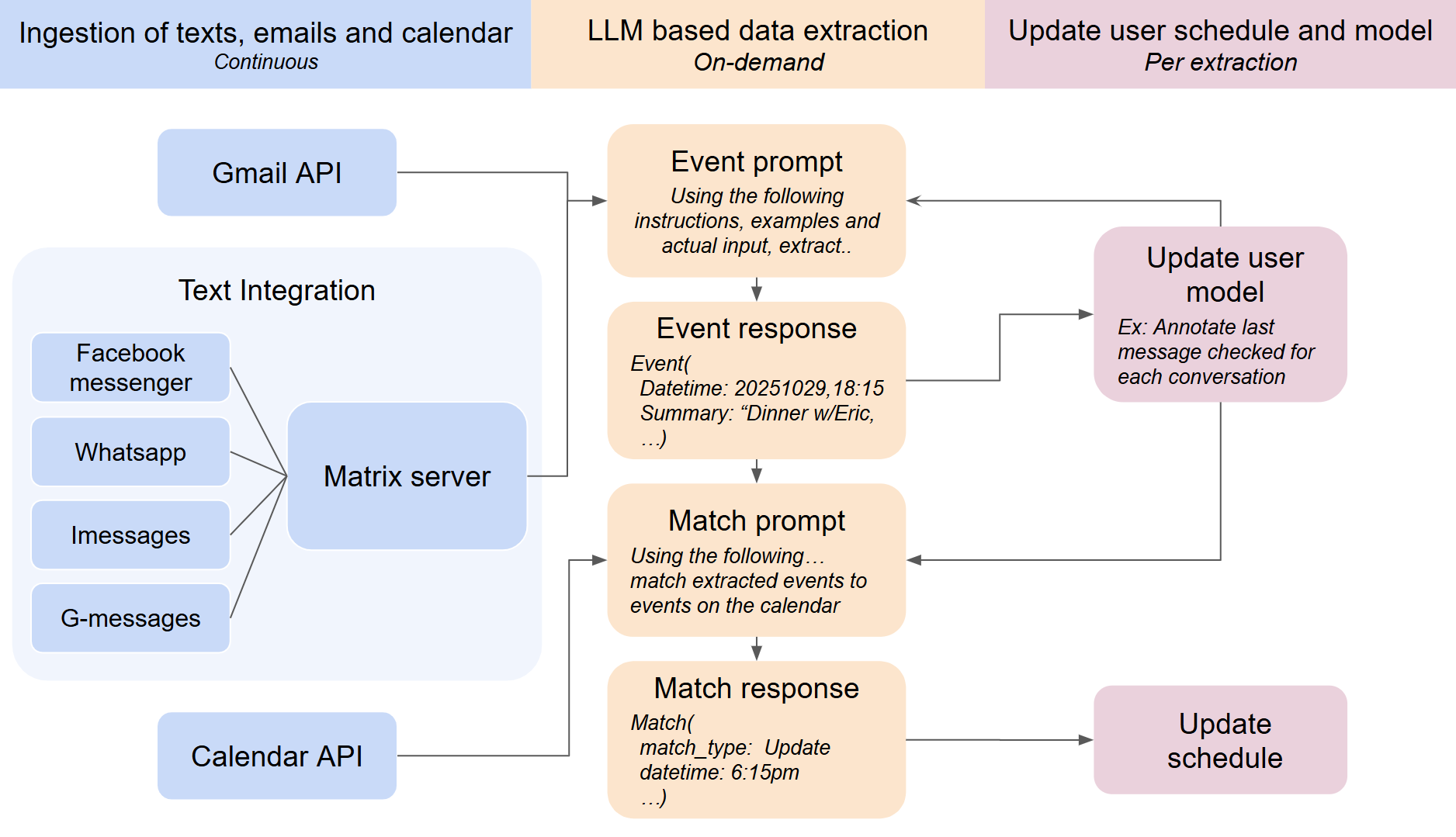
The autoscheduler has three tasks: get access to messages, extract structured event data, and display it somewhere useful. Let's look at each piece.
Autoscheduler system diagram
Input
The autoscheduler has two methods to access messages: a phone number you can add to conversations and a full integration where the user logs in to the underlying message platform and gives full access. The full integration is best for personal use. It's free, has access to historical messages and doesn't require the people you're texting to remember to add the autoscheduler's phone number. For more public use, adding a phone number to a chat restricts the amount of data shared with the autoscheduler and has a side benefit of allowing direct interaction in a group chat. It can be easier to "@Ambient when do I fly to texas" when asked in a chat than to search and copy paste details back in.
To integrate into a messaging platform, Ambient uses a Mautrix based stack: Mautrix bridges → Synapse server → matrix-nio client. This has many benefits: open-source, proven track record supporting products like Element and Beeper, and lower resource usage than handrolled efforts, but has some costs: some platforms don't backfill past ~100 messages, and it requires a lot of post-setup processing. Some messages get incorrect times, message/conversation annotations need to be stored outside the stack.
To set the stack up, set up the synapse server with pointers to any bridges you're using (about 3-4 hours) and then use matrix-nio's methods for authenticating an account: typically a QR code or cookies. iMessage is a special case if you aren't running things locally. In order to run it as a webserver, I set up a user-specific bridge install script that points the bridge to the webserver and upon installation performs a webserver ↔ bridge handshake that authenticates the bridge and updates the matrix server's config.
Once the bridges are set up and access is authorized, texts can be accessed directly but I use matrix-nio as it handles event driven updates and adding per-user encryption.
Data Extraction
With the data in hand, it's time to make it structured and useful. It's a difficult problem! People say "let's grab lunch Tuesday" or "meet at my place around 7ish"—not "EVENT: 2024-03-15, 12:00 PM, location TBD." Worse, they'll say ten thousand variants of "let's do dinner thursday or friday" → "Actually what about coffee the week after".
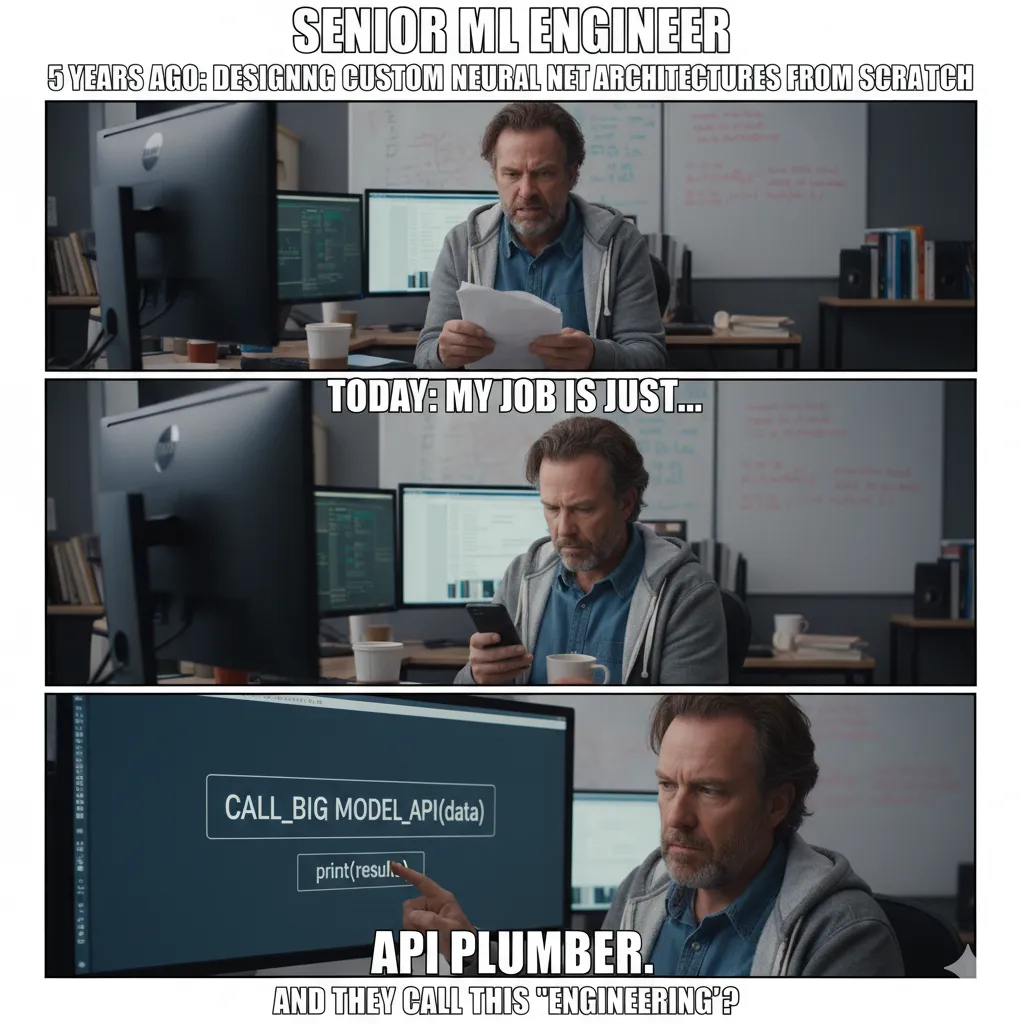
Luckily this is where LLMs are rapidly expanding capabilities, making the unsolvable/unscalable – 2022 state of the art could barely extract names/relationships – approachable. In 2024 this level of extraction was possible using a finetuned model and ~3k+ examples, with 2025+ frontier models it's possible in ~days with ~10s of examples and a custom instruction set. The process is much more legible as well since you're iterating in english/structured examples and get a lot of edge case covering for free.
Credit: verdik.substack.com
After much iteration, the autoscheduler process looks like:
- Filter to conversations that might have new information
- Send each conversation to Gemini with specific instructions/examples for extracting event information
- Match event info to the calendar to avoid dupes and detect when information is an update or a new event
- Update the user's schedule and underlying user model (e.x: track which messages have been checked)
First we filter to conversations that might have new information by using the results of the last iteration and taking either (a) only unparsed messages when the conversation's most recent messages are not about an event or (b) all the messages since a conversation started being about an event.
Then we send the conversations and instructions to Gemini for extraction into events and then pass those events along with the user's calendar to Gemini with a different set of instructions to either match the events against existing calendar events or to create new events.
Developing an instruction set for extracting events or matching an event to a calendar event is remarkably similar to big tech's old process for training a classifier but with much tighter feedback loops: Come up with a classification system – what fields you need (date, reference messages, etc) – , get examples of the inputs you'll have and the desired outputs from those inputs and use the examples to come up with a clear instruction set. In the old model you'd then need to generate ratings and train a model on those ratings but in the new model all you need is the instructions and some of the examples.
With the instructions and texts ready, we package them together and use the LLM to extract calendar updates from text messages.
After the extraction and matching steps we finally have exactly what needs to be updated in the schedule.
Display
Google Calendar worked out of the box to display the schedule. It's where most users keep their personal scheduling, its UI is designed for this type of information, and it has a straightforward API for integrations. New events are added to a custom calendar making it easy to notice and control any incorrect events.
To interact with Google Calendar you'll need to set up a Google API account and go through an authorization flow. For personal use, you can set the API as external and "In production" even without verification. This lets you create tokens that live longer than 7 days and the downside (a very intimidating auth screen) won't matter for personal use.
If you want to auto-invite the other people in a conversation to an event you will also need contacts.other access. This is where Google stores most name→email mappings. This can be added to the calendar authorization flow with an extra line.
Design recap
That's the general design of the autoscheduler!
Projects like an autoscheduler take a lot of iteration but the iteration process is itself rewarding with daily exposure to frontier problems in systems thinking, ML engineering, and user focused development. With so much just becoming possible, I'm excited to see what comes next both for Ambient and new builders.